
PM TJK Mission Control
Permanent Mission of the Republic of Tajikistan to the United Nations
iPhone & iPad
Add Mission Control to your Home Screen
Mission Control is a secure web app. There is nothing to download from the App Store. Follow these steps to install it like an app on your iPhone or iPad.
Open Mission Control in Safari
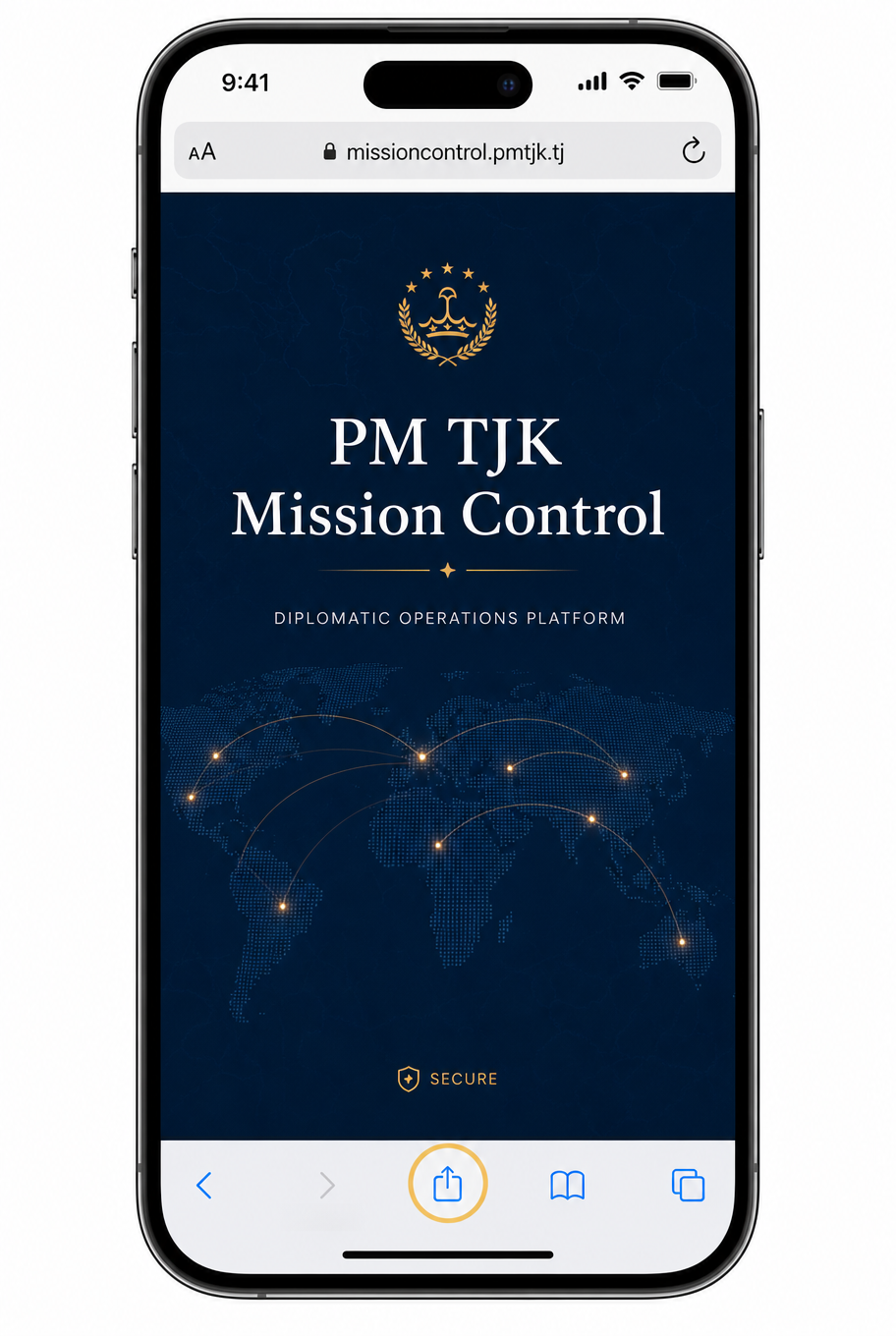
Go to the Mission Control website and sign in. Make sure you are using Apple Safari, not another browser.
Tap the Share button
Tap the Share icon at the bottom center of Safari (the square with an arrow pointing up).
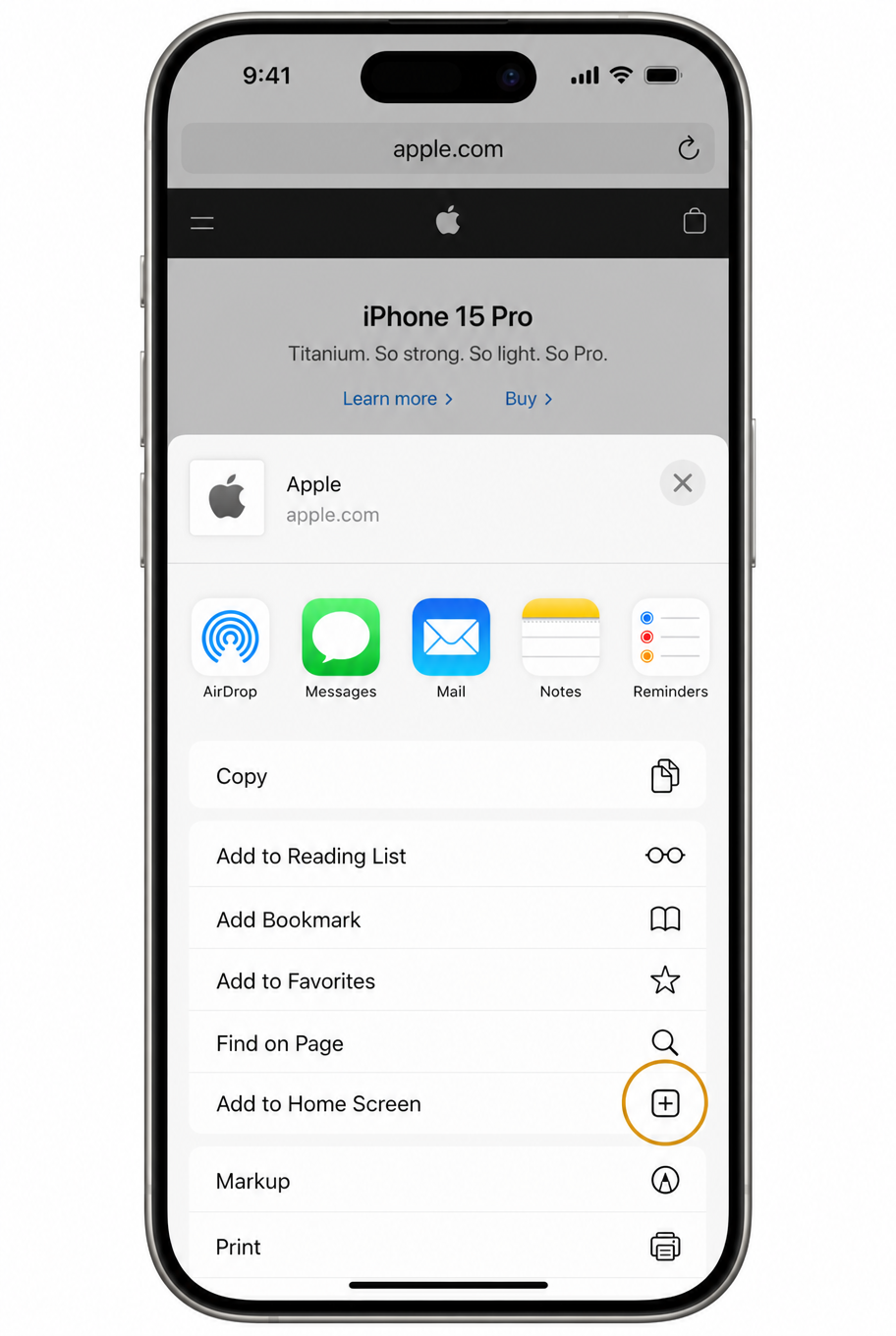
Choose Add to Home Screen
Scroll the share sheet, then tap Add to Home Screen.
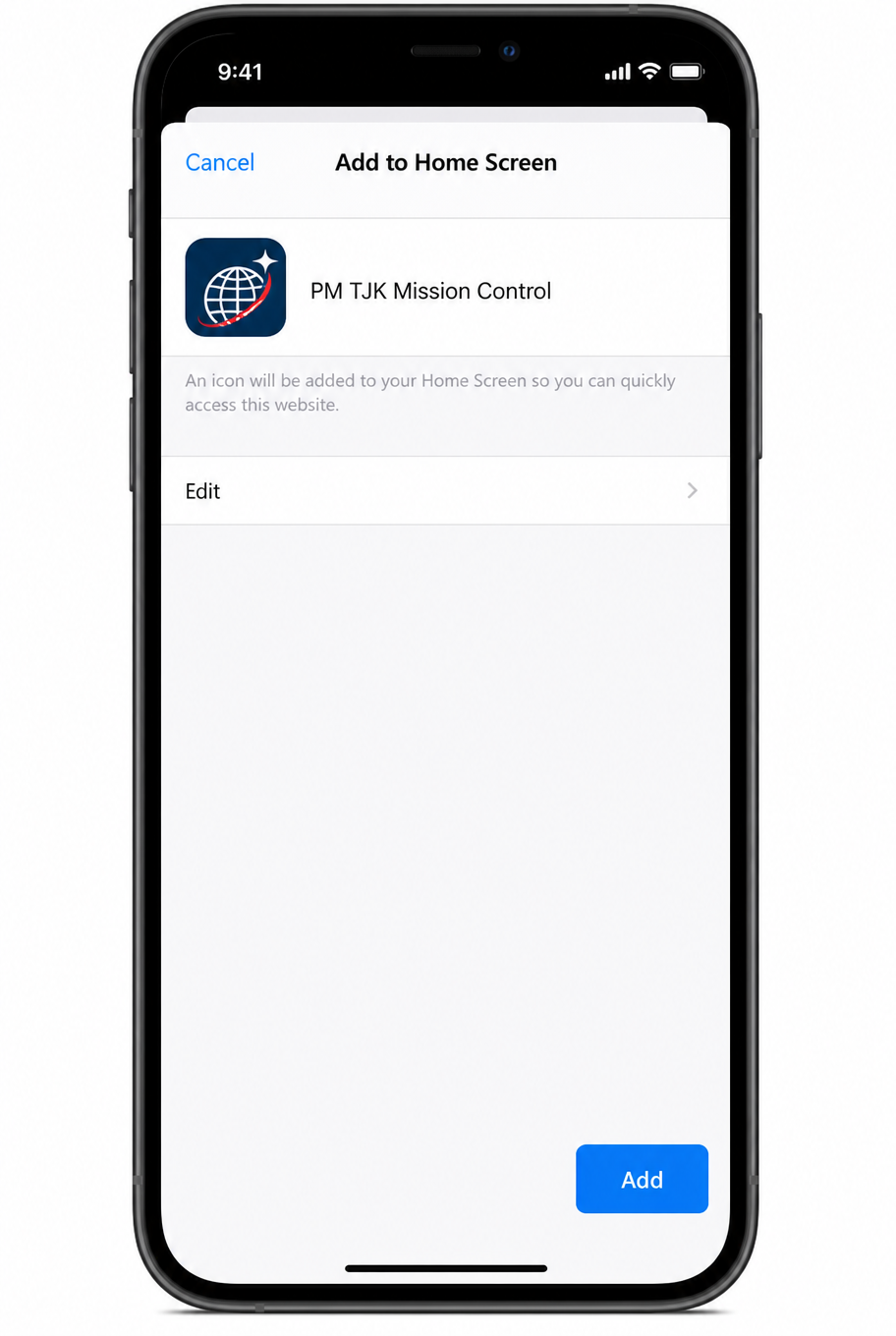
Tap Add
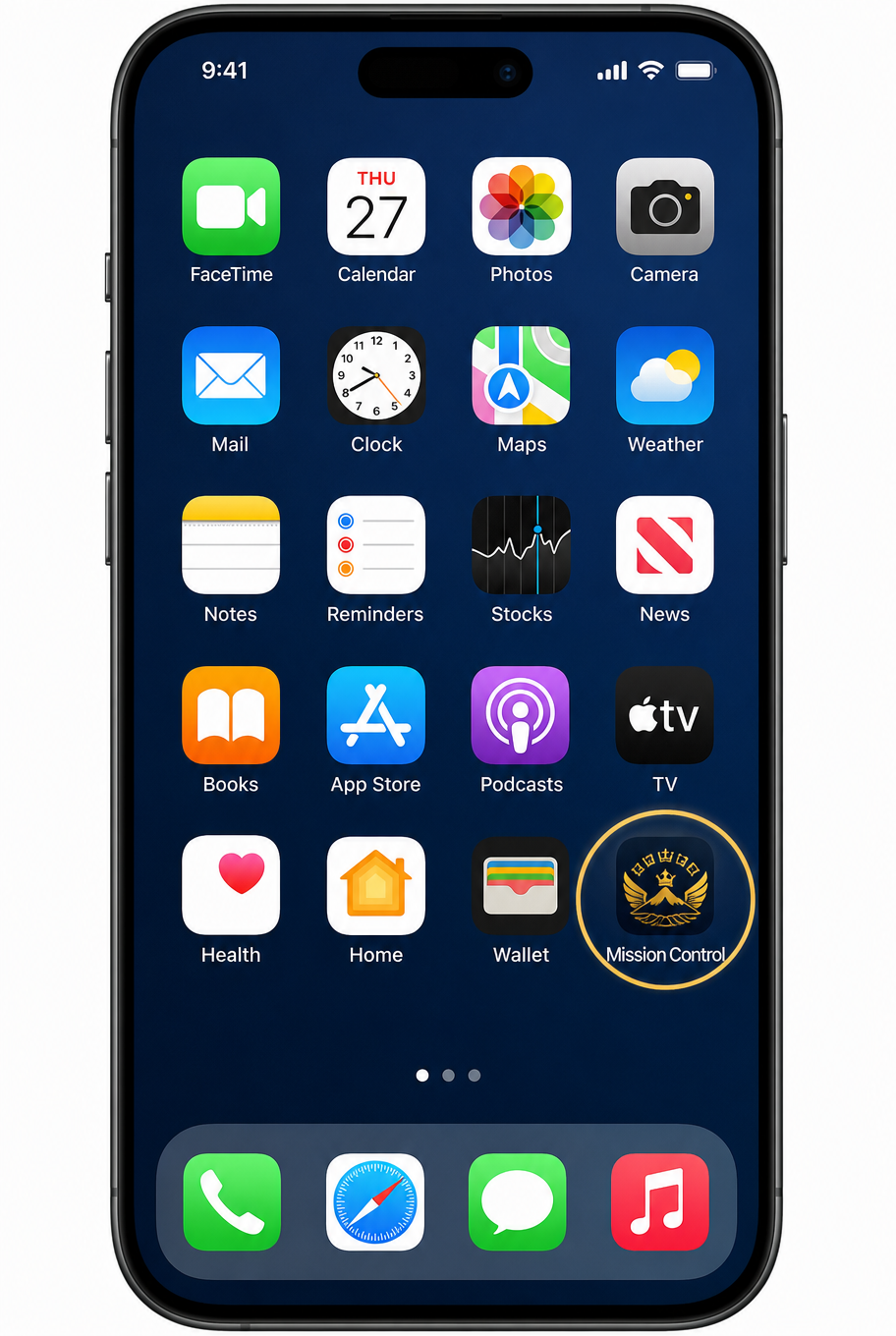
Confirm by tapping Add in the top-right corner. The Mission Control icon will appear on your Home Screen.
After installation, tap the Mission Control icon on your Home Screen to open the app directly. You will still sign in with your approved email or Google account.